Mantel

Your calm, personal New Tab

Mantel turns every new tab in Chrome into one quiet page with your weather, headlines, notes, tasks and favourite sites, laid out the way you like.

Coming soon to the Chrome Web Store Free. No account or sign-up.
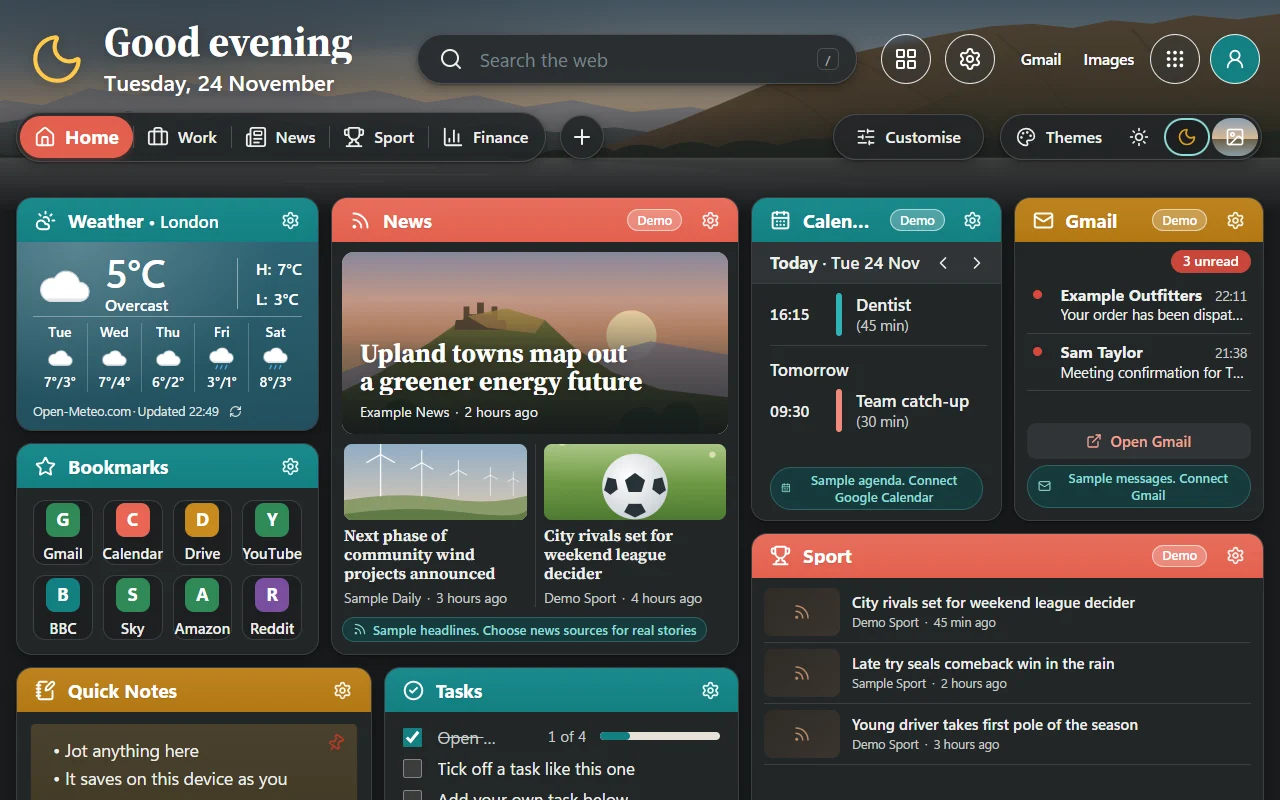
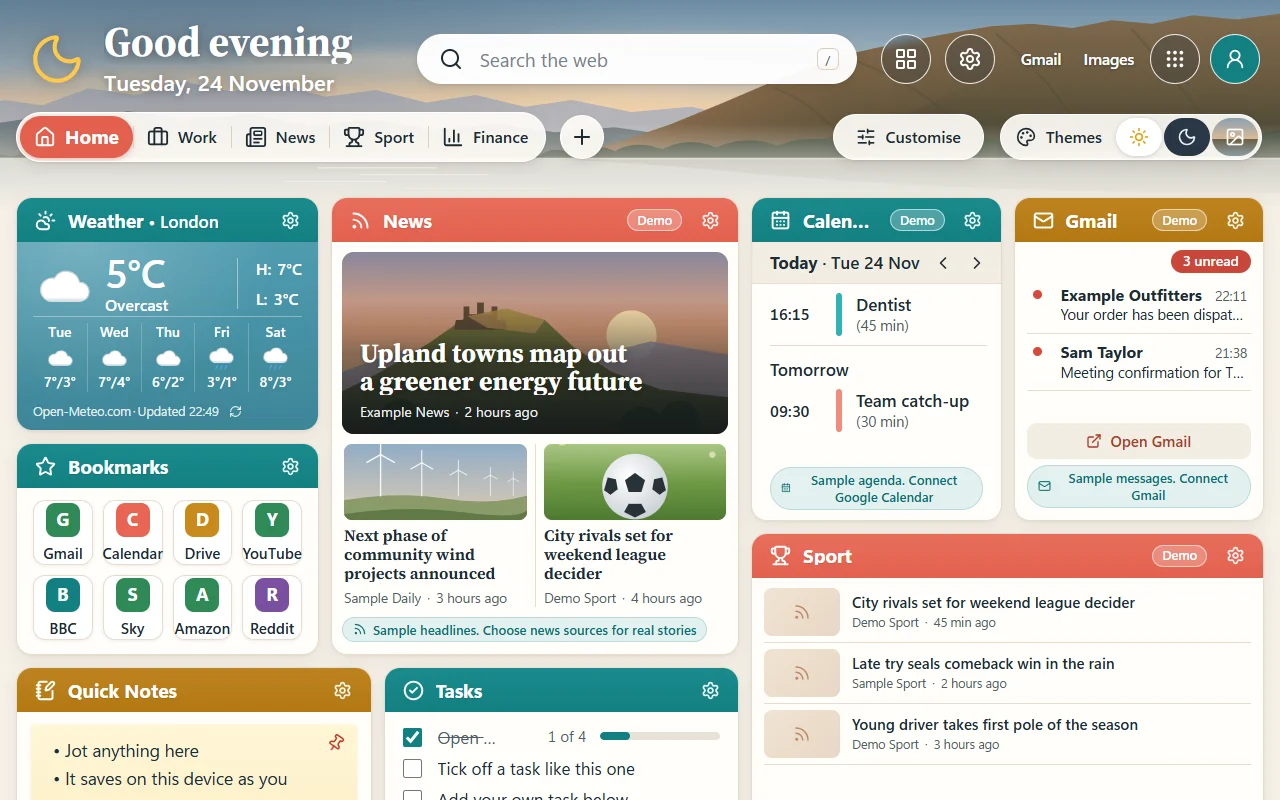
Mantel's Home dashboard: a scenic header with a greeting and search box, then weather, news, calendar, Gmail, bookmarks, sport, notes and tasks cards.

Everything you check, on one shelf

Pick the cards you want. Until you set one up it shows a clearly labelled sample, so nothing is fetched before you ask for it.

  • Weather

    Current conditions and a five-day forecast for the town you choose.

  • News

    A photo-led front page from the BBC, the Guardian or Sky News sections you pick.

  • Sport

    The latest headlines from BBC Sport and Sky Sports.

  • Bookmarks

    Your own shortcuts, or a live view of a Chrome bookmarks folder such as the Bookmarks bar.

  • Quick Notes

    A sticky note that saves as you type.

  • Tasks

    A simple checklist that remembers what you’ve done.

  • Clocks

    The time here, digital or analogue, and in the places that matter to you.

  • Countdowns

    Days to go until holidays, birthdays and deadlines.

  • Exchange rates

    Daily reference rates with a one-week trend and a quick converter.

  • Social

    Recent public posts from Bluesky, Mastodon and YouTube accounts you choose.

  • Photos

    A slideshow of your own pictures, kept on your computer.

  • Calendar and Gmail Coming soon

    Today’s agenda, your unread count and latest senders. In the gallery as previews; Google sign-in arrives in a later update.

Arrange it in seconds, then leave it alone

Press Customise to move cards by their handles and resize them from the corner. Undo is always there, and Done puts everything back to a calm view with no handles in sight.

  • Separate dashboards for Home, Work, News, Sport and Finance, or your own.
  • Small, medium and large cards each get their own layout, not just smaller text.
  • Works from the keyboard too. Press / to jump to search.
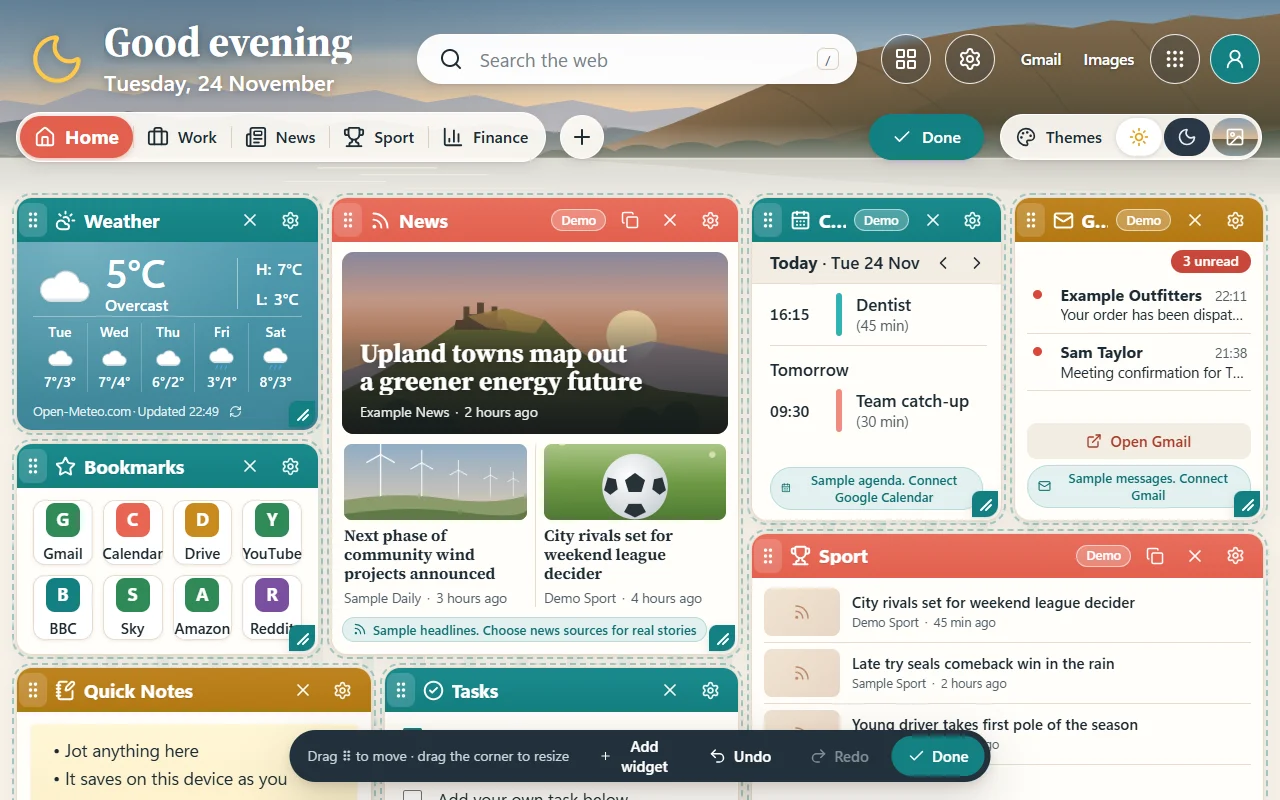
Mantel in Customise mode: each card shows a drag handle and a resize corner, with Add widget, Undo, Redo and Done in a bar at the bottom.
Customise mode: handles appear only while you arrange.

Light, dark, or your own photo

Choose light or dark, or follow your computer’s setting. Keep the sunrise header, use a plain one, or put your own photo or a daily photo album behind it.

  • Open Mantel in Chrome’s side panel, next to any website.
  • Search the web with your usual search engine.
  • Back up your layout, notes and tasks and move them to another computer.
Mantel's dashboard in the dark theme.
The dark theme, for evenings.

Private by design

Mantel runs in your browser. There’s no Mantel server to send your data to. Read the privacy policy.

Stays on your computer

Your layout, notes, tasks and photos are stored in your Chrome profile and nowhere else.

No account, no tracking

No sign-up, no ads and no analytics.

You choose what’s fetched

Chrome asks before Mantel reads a news site or your bookmarks, and only when you turn that card on.

Questions

How much does it cost?

Mantel is free.

Do I need an account?

No. Install it and your next new tab is Mantel, with a starter layout ready to use.

Which browsers does it work in?

Google Chrome on Windows, Mac, Linux and ChromeOS, version 120 or later.

Where do the weather and headlines come from?

Weather comes from Open-Meteo, exchange rates from Frankfurter, and headlines from the publishers’ own news feeds. Stories open on the publisher’s own website.

How do I go back to Chrome’s usual New Tab?

Remove Mantel from Chrome’s extensions page (chrome://extensions). Chrome deletes everything Mantel stored.